
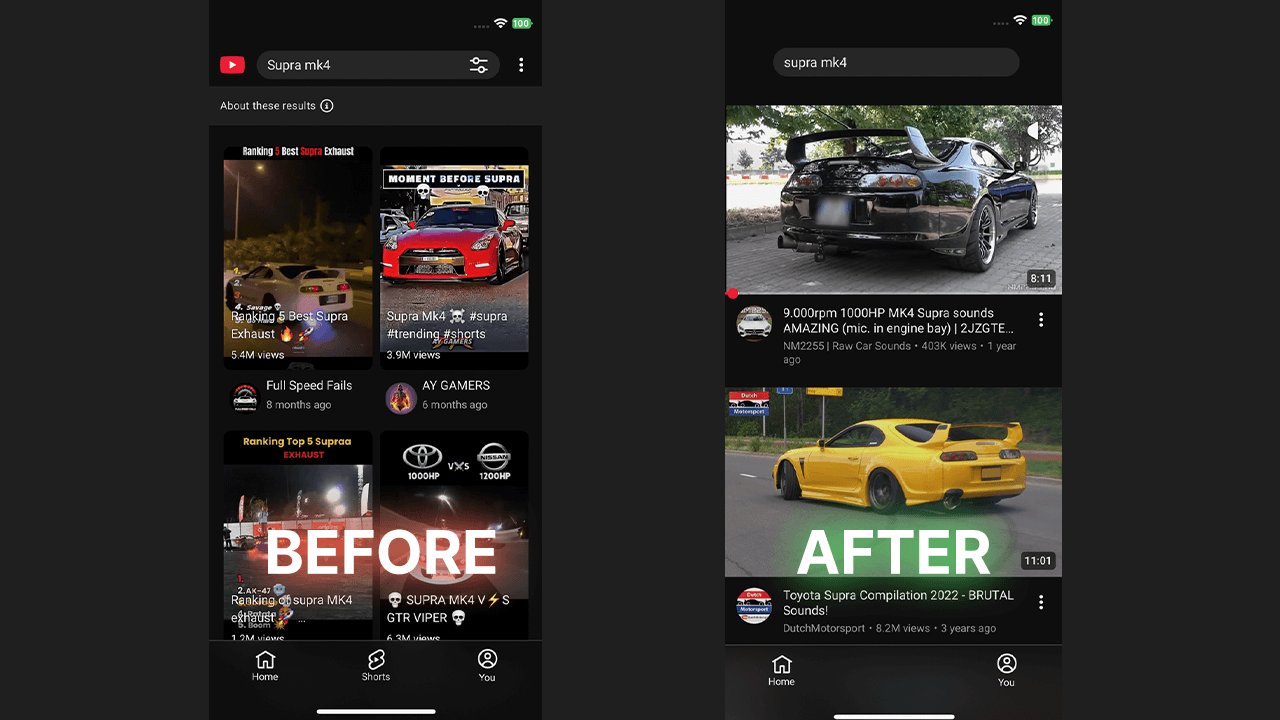
If you often open youtube aiming to watch a specific video, but end up in an endless scroll through short-form videos, you are not alone. The rise of tiktok style content has transformed the modern youtube experience. Many users find themselves addicted to watching shorts on youtube and are actively looking for a way to disable youtube shorts completely. Whether you are on an iphone, an ipad, or using the youtube app on your android, finding effective ways to restrict this content can save you hours. This is why we created WallHabit, a powerful blocker to help you block shorts and reclaim your time.
The Endless Algorithm and Native “Fixes”
Can you just turn off youtube shorts natively? Unfortunately, there is no official toggle to remove shorts entirely. The youtube algorithm is strictly designed to keep you watching. However, you can try to train the youtube algorithm to show you less. When you see shorts in your feed, you can click the three dots on individual shorts and select “Not interested”. By doing this repeatedly on multiple shorts and select the negative feedback option, you tell youtube to show fewer shorts.
This trains the algorithm to show you fewer videos over time, so ideally, they will show you fewer shorts. However, this method will not disable shorts on youtube permanently. It just suppresses them temporarily. You will still see shorts eventually, as this native tool doesn’t fully stop shorts. Many users on reddit express that they hate shorts and just want a true youtube app without shorts.
Browser and Desktop Workarounds
If you are using youtube on a desktop or through a mobile browser like safari or chrome, you have more options. You can use a browser extension from the chrome web store or look for firefox add-ons designed specifically as a shorts blocker for youtube. Often, ad blockers or dedicated scripts can be used to hide youtube shorts from the homepage and remove the shorts section entirely. On an ios device, accessing the site via the safari browser rather than the youtube mobile app allows some third-party tools to work, which effectively hides the shorts tab from your screen.
The Mobile App Challenge
The real challenge lies in the official mobile app. The dedicated youtube app forces the shorts button and the shorts feature front and center. In the past, some users on an android phone might try to get an old version via sketchy APK sites to bypass this. By installing an older version of the youtube app—or specifically an old version of the youtube interface from before the short video format launched—they hoped to get a version of youtube that focuses entirely on longer-form content. But on iOS, downgrading your app version isn’t even possible. Even if it were, using outdated versions of apps has serious security risks and isn’t a safe way to get rid of app shorts. Since iPhone users are locked into Apple’s secure ecosystem, there must be better ways to block the shorts from your youtube feed without leaving the platform.
The Ultimate Solution for iOS: WallHabit
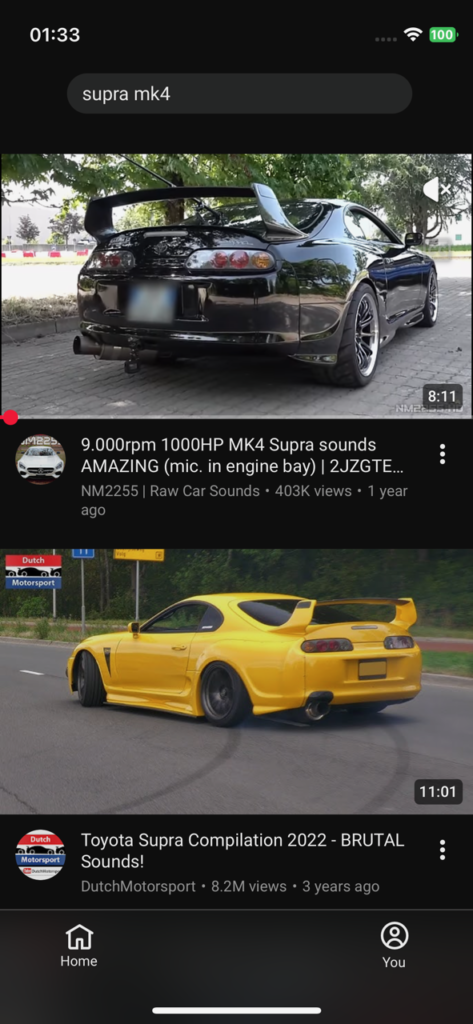
If you want to know how to disable youtube shorts, block youtube shorts, or even entirely disable youtube when you need to focus, WallHabit is the answer. WallHabit is the ultimate app to remove shorts and regain your self-control. Instead of relying on complex or risky workarounds, WallHabit allows you to remove youtube shorts right on your apple device.
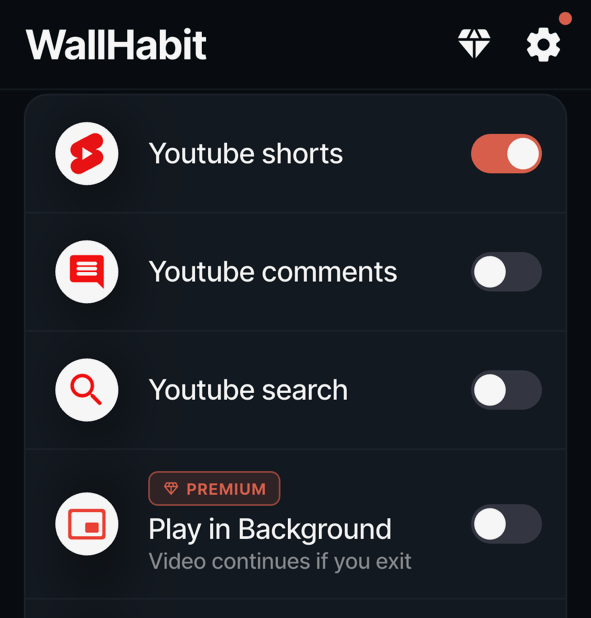
Available on the app store, WallHabit gives you the best option to remove the elements that ruin your focus—you can even choose to hide the comments section or disable the search function to stop yourself from falling down endless rabbit holes. Built for the youtube community, it uses a flexible approach to combat the addictive design of social media. To browse without shorts, you simply use our dedicated “Distraction-Free” environment for everyday viewing. For an extra layer of protection, you also have the option to keep your normal, native app locked behind our strict “Tap to unlock” challenge—requiring you to physically tap the screen hundreds of times without stopping just to open it. This optional friction ensures you only use the standard app when it is truly necessary. Stop asking how to get rid of shorts or how to disable shorts—WallHabit makes it incredibly easy to turn off shorts and block the noise.
Ready to take back your time?
Try the free features today to disable the clutter and remove every single short and short-form distraction. Here is how to set it up:
1. Download WallHabit from the App Store.
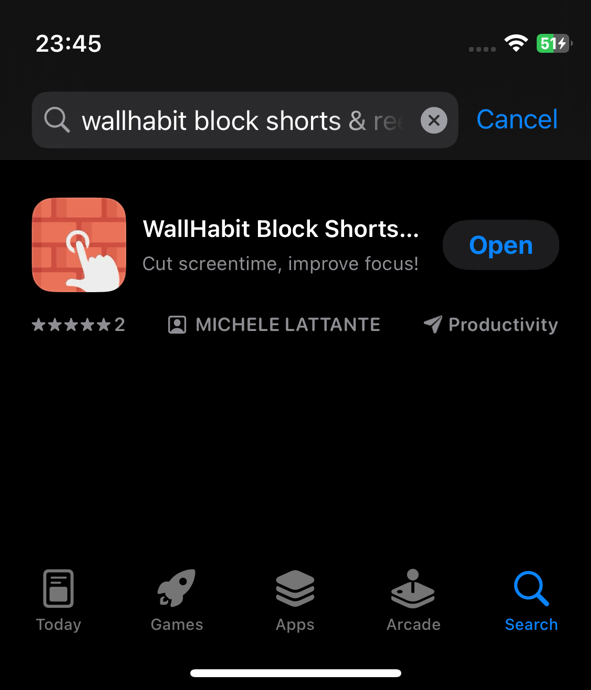
2. Open WallHabit and select the option to hide the shorts tab.
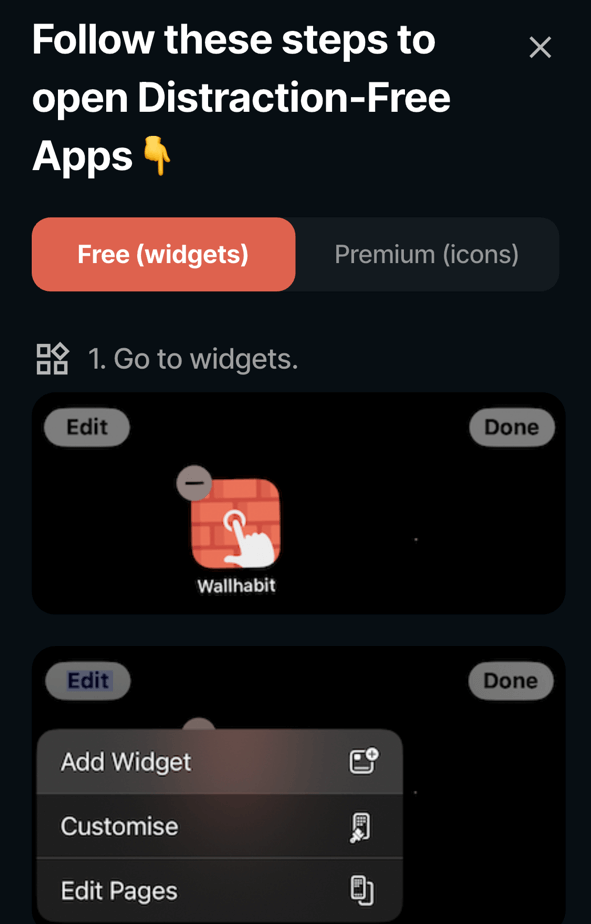
3. Access the Distraction-Free version of youtube.
4. Enjoy your clean youtube feed!
Frequently Asked Questions
Is there a way to turn off YouTube Shorts on iPhone?
While the native YouTube app does not offer a built-in switch to turn off Shorts on your iPhone, you can use a dedicated commitment device like WallHabit to solve the problem. Instead of relying on Apple’s easily bypassed Screen Time, WallHabit allows you to use a “Distraction-Free” version of YouTube for your daily viewing. This clean environment completely hides the Shorts feed, letting you watch the longer-form content you actually want without getting sucked into the addictive short-video loop.
How do I disable YouTube Shorts permanently on Safari?
Disabling Shorts permanently directly within Safari on iOS can be tricky, as mobile browser extensions are limited compared to desktop versions. However, you can bypass the browser entirely and achieve a permanent solution on your device using WallHabit. By setting up WallHabit’s Distraction-Free YouTube environment, you effectively remove the Shorts interface for good. You can then optionally lock your Safari app or the native YouTube app behind the rigorous “Tap to unlock” challenge—requiring hundreds of consecutive taps without stopping just to open them—ensuring you stick to your distraction-free goals.
How to get YouTube without Shorts on iOS?
The most effective way to experience YouTube without Shorts on iOS is to adopt a flexible approach using WallHabit. You can use WallHabit’s Distraction-Free YouTube as your primary app for everyday browsing, completely free from the addictive short-form algorithm. For the times you absolutely need the native app for specific account settings or uploading content, you can keep it locked behind a strict tapping challenge. This guarantees that your default viewing experience remains intentional and completely free of Shorts.
How do I stop my child from watching YouTube Shorts?
To stop your child from mindlessly scrolling through YouTube Shorts, you need more than standard parental controls, which often just block the whole app. By installing WallHabit on their iOS device, you can set up the Distraction-Free version of YouTube, which entirely removes the Shorts feed from their screen. To prevent them from bypassing this, you can secure the standard YouTube app behind the grueling “Tap to unlock” challenge. This physical friction stops the automatic habit of opening the addictive native app, encouraging a much healthier relationship with social media and technology.